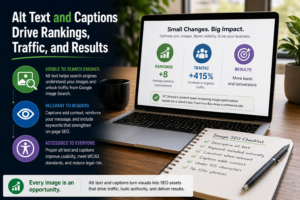

Alt text and image captions are two of the most underused tools in digital marketing. When written with intention, they improve search visibility, make your content accessible to a wider audience, and give search engines the context they need to surface your pages. This guide walks you through exactly how to use both to turn your images into traffic-driving assets.
Most website owners spend hours crafting the perfect blog post or product page, then upload images with file names like IMG_4832.jpg and move on. That one habit quietly costs them rankings, clicks, and conversions every single day. If your images aren’t working as hard as your words are, you’re leaving meaningful traffic on the table.
Key Takeaways
- Alt text describes your image to search engines and screen readers, directly influencing your SEO and accessibility scores.
- Captions are read by more website visitors than almost any other text on a page, making them prime real estate for engagement.
- Keyword-informed alt text helps your images appear in Google Image Search, which is a separate and often overlooked traffic channel.
- Both alt text and captions should be written for humans first, search engines second.
- A consistent image optimization habit compounds over time, building authority and organic reach across your entire site.
- Local businesses in competitive markets like New York or the San Francisco Bay Area can use geo-specific image optimization to gain an edge on national competitors.
Why Are So Many Websites Getting This Wrong?
The problem isn’t that marketers don’t know alt text exists. Most do. The problem is that it’s treated as a technical checkbox rather than a content opportunity. People type in a couple of words, maybe repeat the page title, and call it done. Captions often get skipped entirely because content creators assume visitors are reading the surrounding paragraph anyway.
Research consistently shows that image captions are among the most-read elements on any web page, with readership rates estimated at 300% higher than body copy in some publishing studies. Despite this, a significant portion of websites either omit captions entirely or use them only to credit photographers, missing the chance to add descriptive, keyword-relevant context that both readers and search engines can use.
This gap is especially costly for small and mid-sized businesses competing in dense markets. When a national brand and a local boutique are both targeting the same search intent, the local business needs every advantage it can get. Properly optimized images are one of those advantages, and most competitors aren’t using them well.
What Exactly Is Alt Text and How Does It Drive Traffic?
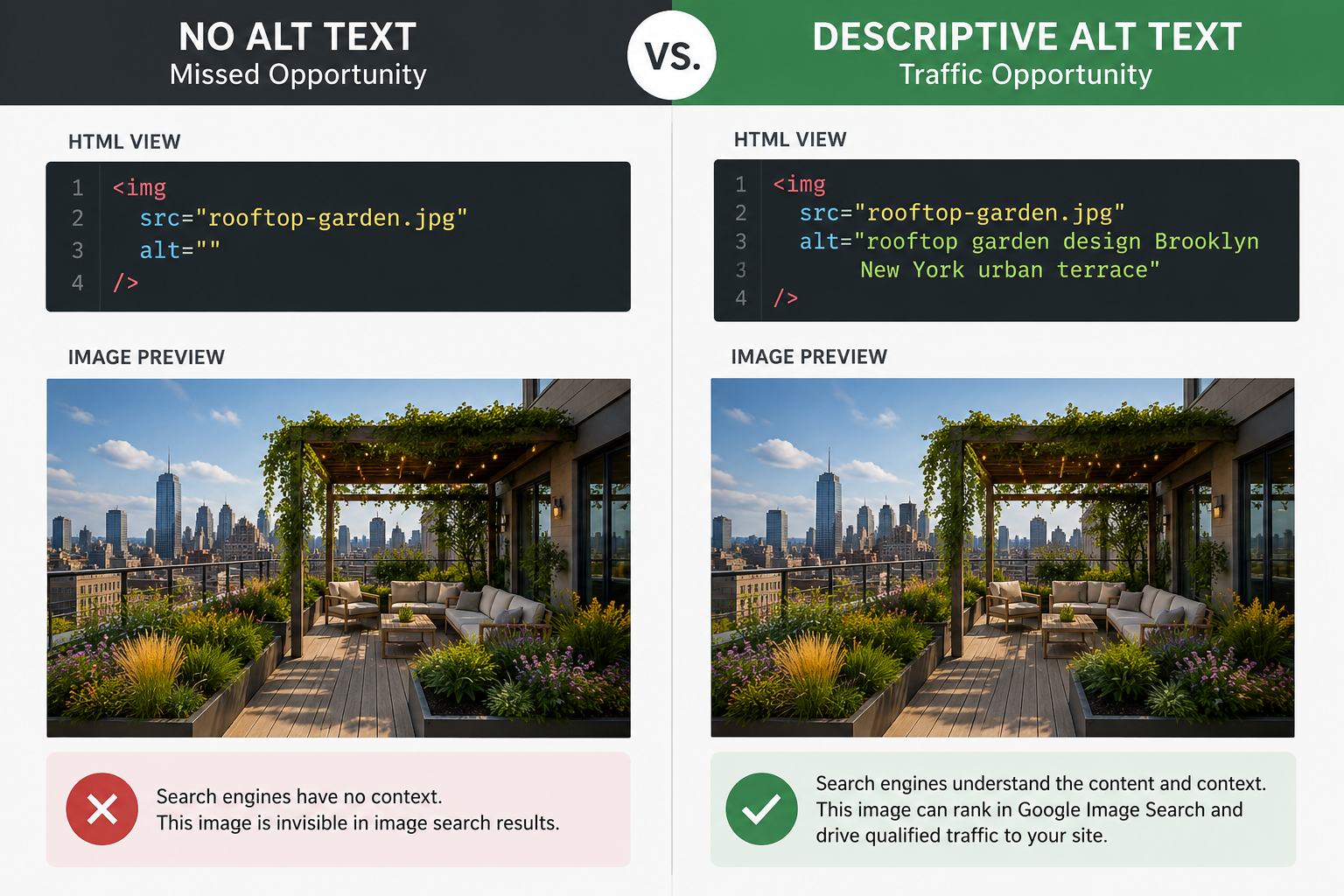
Alt text, short for alternative text, is an HTML attribute added to image tags that describes the content of an image. It was originally designed so that screen readers could narrate images to visually impaired users. Search engine crawlers also rely on it heavily since they can’t “see” an image the way a person can. They read the alt attribute to understand what’s in the photo and how it relates to the surrounding content.
Google Image Search drives billions of queries every month and is estimated to account for roughly 22% of all web searches in the United States. Sites with descriptive, keyword-aligned alt text are significantly more likely to have their images surfaced in these results, creating a secondary traffic channel that operates independently of traditional organic rankings.
Think about what that means practically. If you run a landscape design firm in Brooklyn and you’ve uploaded a photo of a rooftop garden project, alt text like “rooftop garden design Brooklyn New York urban terrace” tells Google exactly what that image depicts and where you do the work. Without it, the image is invisible to search. With it, you’re suddenly eligible to appear in image search results for people actively looking for that service in your city.
How Do Captions Reinforce Your Message and Help Rank?
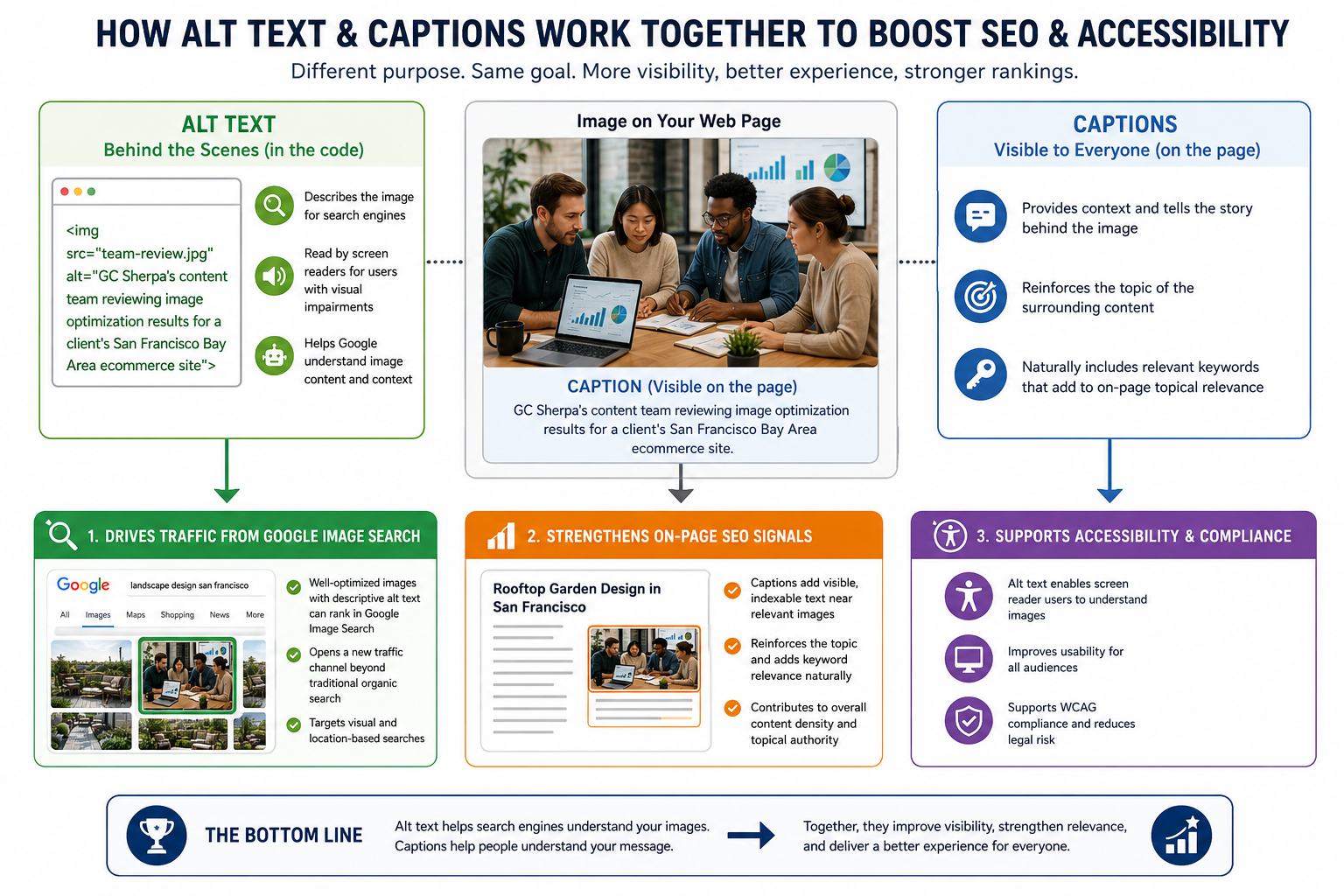
Captions serve a different but equally valuable purpose. Where alt text lives in your code and speaks to crawlers and screen readers, captions appear on the page itself, visible to every visitor. They sit directly beneath images, in a location where the eye naturally pauses after absorbing a visual. That’s a moment of heightened attention, and it’s worth using deliberately.
A well-written caption does three things at once. It provides context for the image, it reinforces the topic of the surrounding section, and it can include a natural keyword phrase that adds to the page’s topical relevance. None of this requires stuffing or awkward phrasing. A caption like “GC Sherpa’s content team reviewing image optimization results for a client’s San Francisco Bay Area ecommerce site” is descriptive, relevant, and naturally keyword-rich without feeling forced.
Captions that include relevant keywords have been shown to contribute to on-page topical signals that search engine algorithms use when evaluating content relevance. While captions are not a primary ranking factor on their own, they are part of the cumulative content density that determines how well a page matches a given search query, particularly for long-tail and conversational searches that are increasingly prominent in AI-powered search results.
A Step-by-Step Process for Writing Alt Text That Actually Works
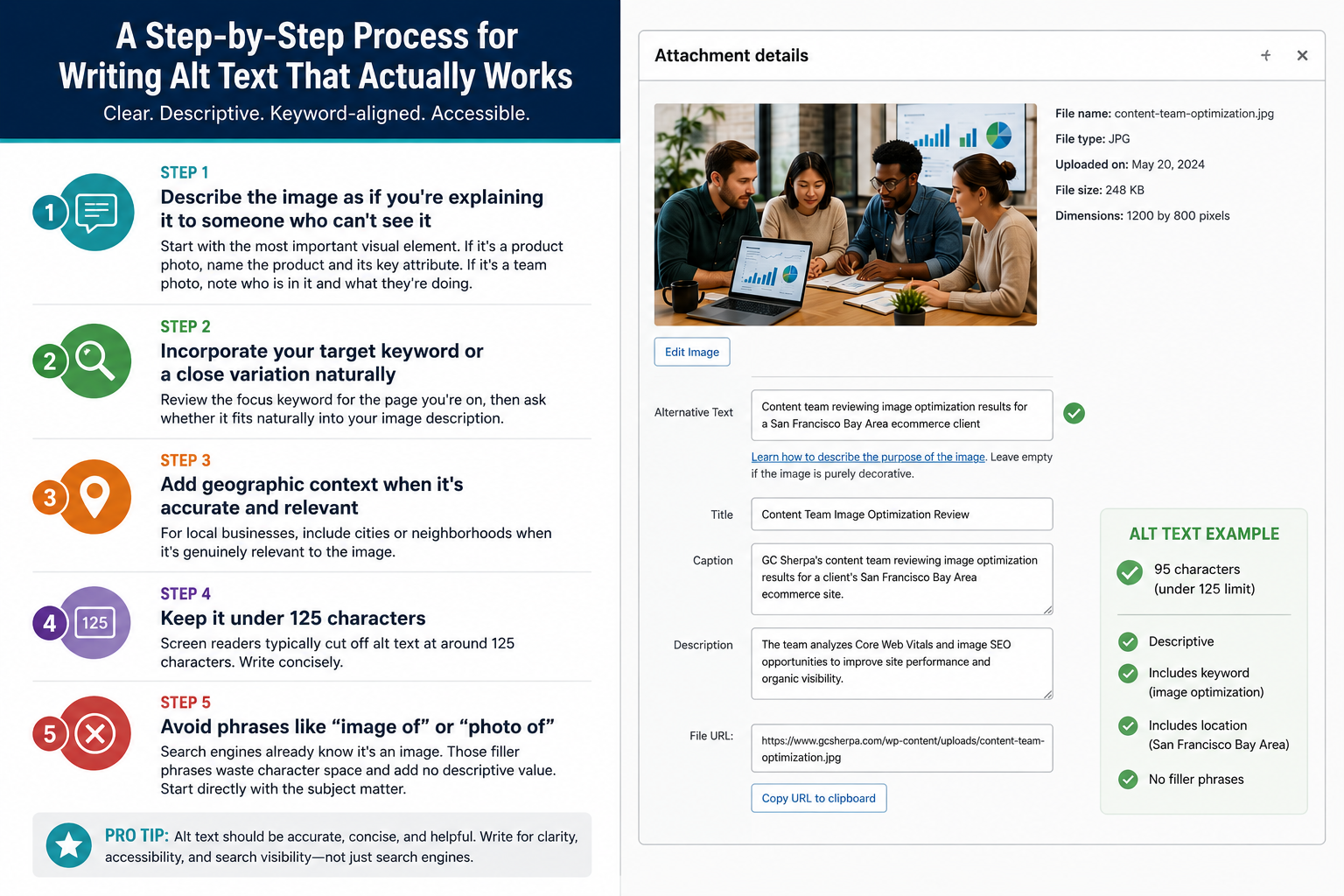
Getting alt text right doesn’t require a copywriting background. It requires clarity, a bit of keyword research, and a consistent habit. Here’s how to approach it systematically.
Step 1: Describe the image as if you’re explaining it to someone who can’t see it
Start with the most important visual element. If it’s a product photo, name the product and its key attribute. If it’s a team photo, note who is in it and what they’re doing. Precision matters more than cleverness here.
Step 2: Incorporate your target keyword or a close variation naturally
Review the focus keyword for the page you’re on, then ask whether it fits naturally into your image description. If the page is about social media content strategy and the image shows someone scheduling posts, something like “social media content calendar scheduling on laptop” works perfectly. Never force a keyword that doesn’t belong in the description.
Step 3: Add geographic context when it’s accurate and relevant
For local businesses, this is where image SEO gains real power. If you serve specific cities or neighborhoods, include that location in your alt text when it’s genuinely relevant to the image. A photo from a job site in Queens, a client meeting in SoHo, or a delivered project in Oakland can all carry location signals that reinforce your local search authority.
Step 4: Keep it under 125 characters
Screen readers typically cut off alt text at around 125 characters. Write concisely. If you find yourself writing a full sentence, you’re probably including details that belong in the caption instead.
Step 5: Avoid phrases like “image of” or “photo of”
Search engines already know it’s an image. Those filler phrases waste character space and add no descriptive value. Start directly with the subject matter.
Where Captions Fit Into Your Content Strategy
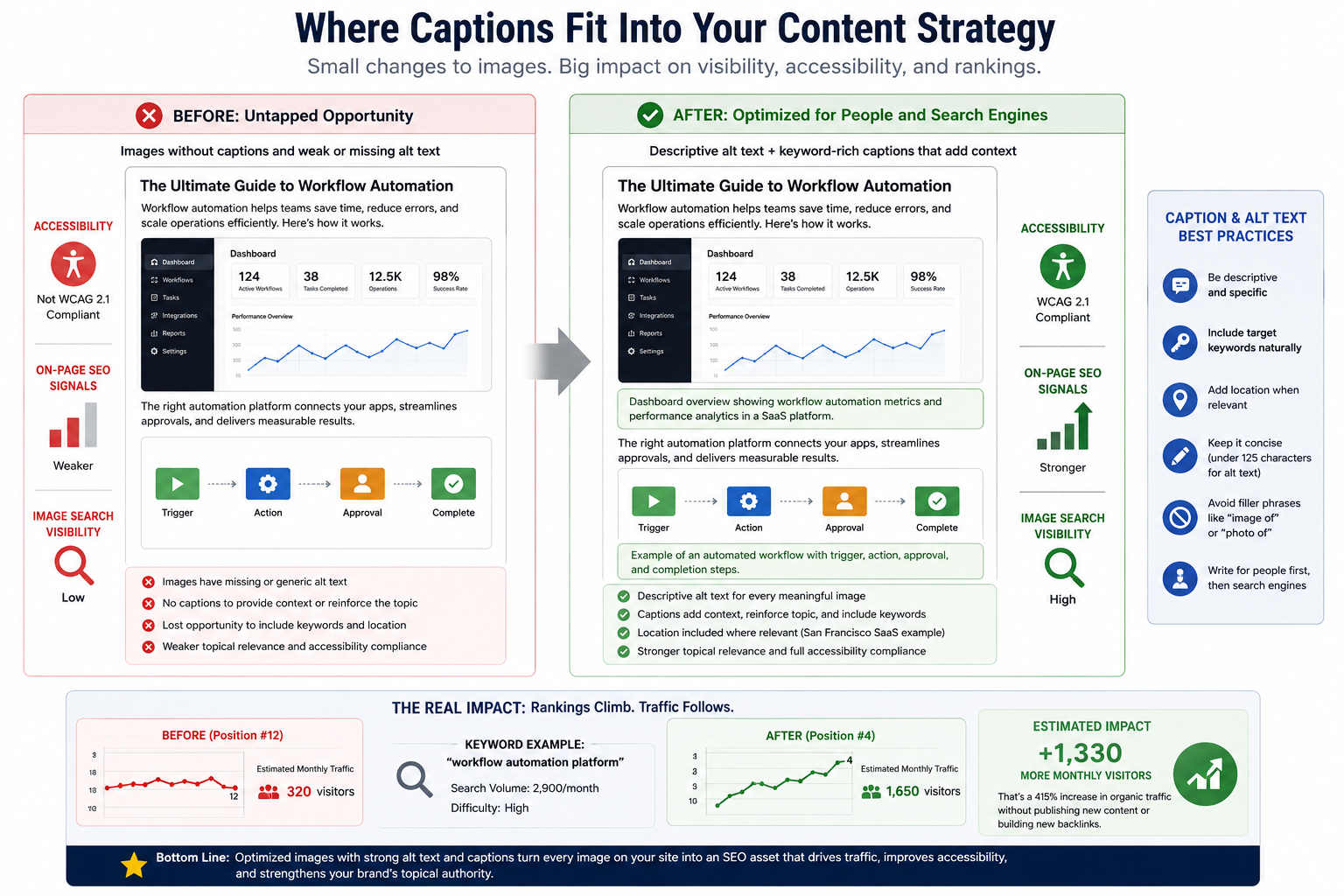
Not every image needs a caption, but most benefit from one. Decorative images used purely for visual spacing don’t require captions and often don’t need alt text beyond an empty attribute to signal to screen readers that the image is ornamental. Every other image, especially those tied to your content’s core topic, is a missed opportunity if it sits without a caption.
Accessibility guidelines under WCAG 2.1 require that all meaningful images include text alternatives, and websites that fail to meet these standards face growing legal exposure in the United States. Several high-profile ADA web accessibility lawsuits have cited missing or inadequate alt text as a primary violation, with settlements reaching into six figures for larger organizations.
Imagine you’re running a content-heavy blog for a B2B SaaS company in San Francisco. Every product screenshot, every workflow diagram, every customer result chart is an image sitting on your page. If each one has a precise caption and matched alt text, you’re layering topical relevance onto an already strong piece of content. That’s the difference between a page that ranks at position 12 and one that climbs to position 4 over the following quarter.
Think about what that traffic shift means in real numbers. A move from position 12 to position 4 for a competitive keyword can mean hundreds or thousands of additional monthly visitors, all without writing a single new article or building a single new backlink.
Frequently Asked Questions
What is alt text and why is it important for SEO?
Alt text is an HTML attribute that describes the content of an image to search engines and assistive technologies. For SEO, it provides critical context that helps search engines understand what an image depicts and how it relates to the surrounding content. Without it, images are essentially invisible to crawlers, meaning you’re missing an entire layer of relevance signals that could improve your page’s ranking potential.
How do captions help drive traffic to your website?
Captions are read far more frequently than most body text because they sit in a visually prominent position directly beneath an image, right where a visitor’s eye lands after processing the visual. When captions include relevant keywords and descriptive context, they reinforce the topical focus of your page, which contributes to stronger search relevance. Over time, pages with well-optimized captions tend to have better engagement metrics, which can indirectly support rankings.
What are the best practices for writing alt text?
Start by describing the image accurately and specifically. Incorporate your target keyword or a natural variation only if it fits the description without forcing it. Keep the text under 125 characters, skip filler phrases like “image of,” and add geographic context if the image is tied to a specific location or local service. Write for the person who can’t see the image first, and the SEO benefit follows naturally from that clarity.
Who should use alt text and captions in digital marketing?
Any business publishing content online should be using both. This includes e-commerce brands optimizing product photos, local service businesses wanting to rank in city-specific image searches, SaaS companies explaining product features through screenshots, and content publishers looking to maximize the reach of editorial photography. If you’re publishing images anywhere online, each one is either helping or silently hurting your visibility.
When should you add alt text and captions to your content?
The best time is before you publish, as part of your standard content workflow. The second-best time is during a content audit of your existing pages. Prioritize high-traffic pages and pages targeting competitive keywords first. Going back through your archive to add alt text to previously uploaded images is a legitimate SEO improvement task that can deliver ranking gains without requiring any new content creation.
Ready to Make Your Images Work Harder for Your Business?
Most businesses are sitting on a library of images that could be pulling traffic right now. The fix isn’t complicated, but it does require a consistent, strategic approach that treats image optimization as a real part of your content process rather than an afterthought.
At GC Sherpa, we help businesses in New York and the San Francisco Bay Area build the kind of content infrastructure that compounds over time. Whether that means auditing your existing image library, integrating alt text and caption optimization into your content workflow, or building a full content strategy around local search visibility, our team knows what it takes to rank in competitive markets.
If you’re ready to stop leaving traffic on the table, give us a call at (845) 533-3309. We’ll take a look at where your images stand today and show you exactly what a smarter optimization approach can do for your rankings and your business.